

There are two easy ways to download files from depositfiles.com, manually and automatically.
1. Manually
Here is a step by step tutorial on how to download from this server





Here is how to download all the depositfiles' links automatically. If you still remember USD (Universal Downloader), a powerful downloader from most of common servers. (If you don't have it, then visit this website to download it). After install the program and successfully run it. It should look like this
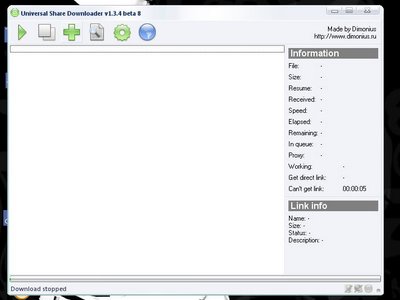
Then copy all the Depositfiles' links (quick way: hold down the Ctrl+C to copy) and paste it to the USD window (Ctrl+V to paste)


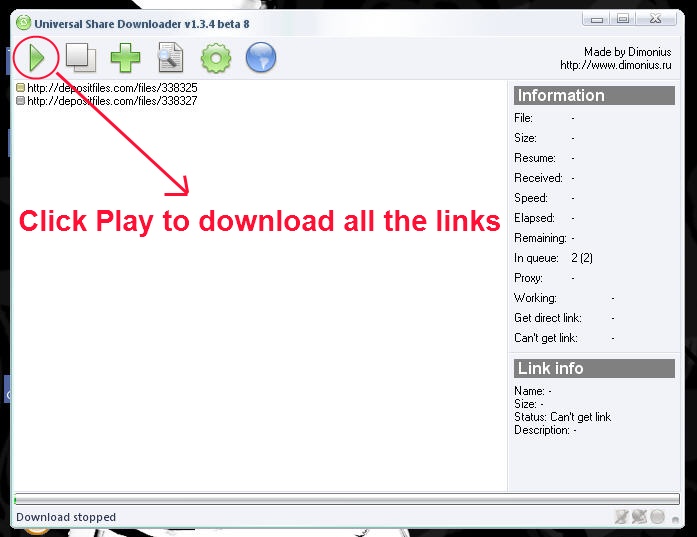
Then click play to download all the files

That's all you need to do to download files from Depositfiles.com. It's easy, but sometimes, when the server is busy, it's really hard to download files from this sever, the best way is to use USD to download files at night when only a few poeple accesses Depositfiles. Just let the program runs by itself at night, guarantee you will get all the files by the following morning.
Thank you and hope this tutorial is helpful to you.
Read more
1. Manually
Here is a step by step tutorial on how to download from this server
- Step 1: When you see a depositfiles' link, click on it (you can right click at the link and open the link in a new tab or new page for covenience)

- Step 2: When Depositfile's mainpage opens, it should look like this
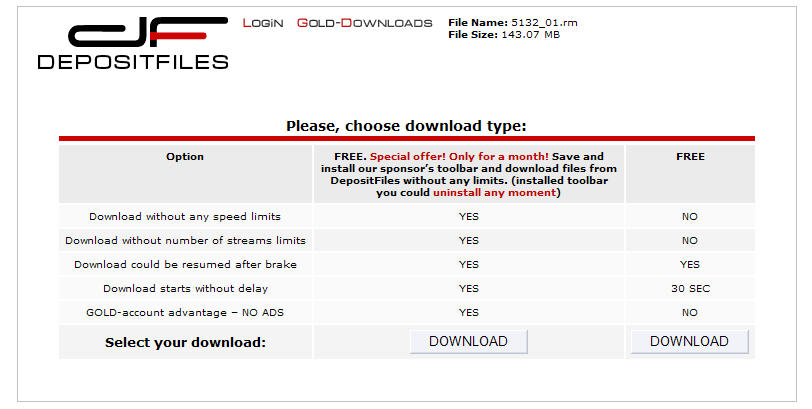
- Step 3: As you can see, there are two types of account, you can choose a "gold account" (which you have to pay for it) or the free account (recommended)

- Step 4: Look at the bottom of the page, you will see a count down clock, wait until it finishes

- Step 5: When the clock is done, you will see a link to download from Depositfiles' main server, sometimes they will also provide free mirror links

- Step 6: I recommend you to install IDM (Internet download manager) which is a really powerful downloading tool (you can download it from my help section), then right click at the link and choose "download with IDM" for a faster speed (you can resume the download too)
Here is how to download all the depositfiles' links automatically. If you still remember USD (Universal Downloader), a powerful downloader from most of common servers. (If you don't have it, then visit this website to download it). After install the program and successfully run it. It should look like this
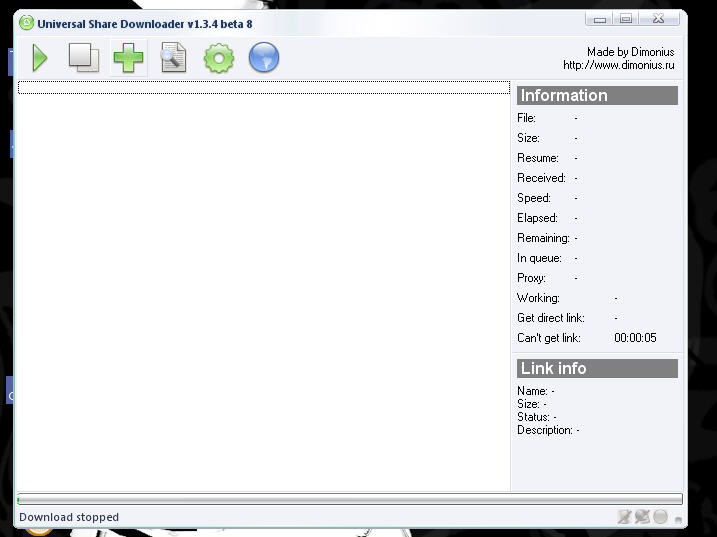
Then copy all the Depositfiles' links (quick way: hold down the Ctrl+C to copy) and paste it to the USD window (Ctrl+V to paste)

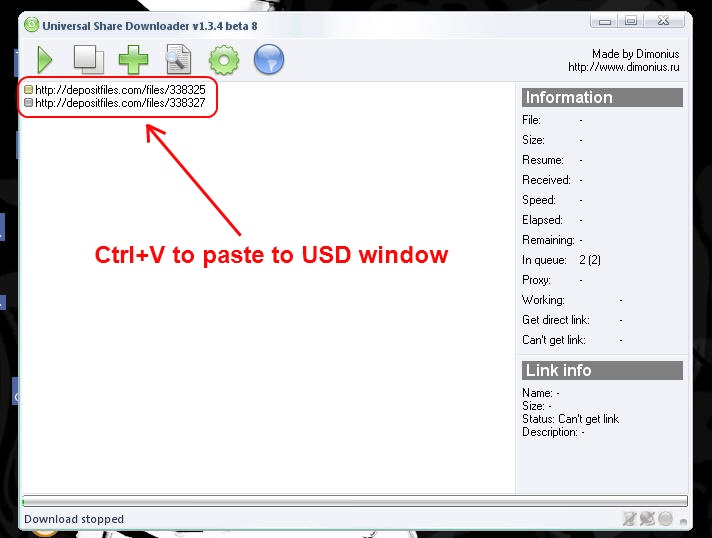
Then click play to download all the files
That's all you need to do to download files from Depositfiles.com. It's easy, but sometimes, when the server is busy, it's really hard to download files from this sever, the best way is to use USD to download files at night when only a few poeple accesses Depositfiles. Just let the program runs by itself at night, guarantee you will get all the files by the following morning.
Thank you and hope this tutorial is helpful to you.













 Posts
Posts


